Case study 01 · Multi-store retail · Texas · 2018–2026
Telling counting errors apart from real losses
A difference between the shelf and Square could be a counting mistake, a sale under the wrong code, a transfer not yet recorded, or a real loss. I designed a daily count and review process that traced each difference to its cause, first with forms and Excel and later with a platform connected to Square. Real losses stopped hiding among routine errors and were found the next day.
System: ShapersAdmin, connected to Square
- My role
- Founder. I designed the process and built the system
- Business
- Shapers Stores, shapewear retail
- Peak scale (2021)
- 8 stores · 30 employees · $3.58M in sales
- Point of sale
- Square
My part in it
Shapers sold shapewear in San Antonio, Dallas–Fort Worth and the Rio Grande Valley. At its peak in 2021 the chain had 8 stores, 30 employees and $3.58M in net sales. Each product comes in many sizes and colors, so one product can mean 10 to 30 separate items in Square.
I designed the count and review process and did the daily review myself from the first store. When the chain reached 8 stores, two regional managers took over the review, with 4 stores each. I built both versions of the system. From 2022 I stepped back from daily store work but kept leading all of the systems work.
A difference in stock did not say what had happened
Square recorded every sale, but it could not tell us whether the shelves matched. When a count did not match, the cause could be any of these:
- Counting mistakeThe employee entered the wrong number.
- Wrong code at the registerThe right product was sold under a different size or code.
- Unrecorded transferStock moved between stores but was not entered yet.
- Real lossThe item is missing, for example from theft.
Without a way to tell these apart, real losses were hidden among routine errors. Some small stores were losing almost as much in missing stock as they made in sales, and we found out too late to know when or how it happened.
Most differences were recording errors, so each one had to be explained
When I reviewed each difference with the store, the pattern was clear: most were not missing stock. They were counts entered wrong, products sold under another code, or items received but not entered yet.
That changed the goal. A high first count was not the point. The point was to leave no difference unexplained, because only then would a real loss stand out. So I made the review a daily routine: count in the store, compare with Square, and go through every difference the next morning.
A daily count and review, first in Excel, then in a platform
The first version, in 2018, used tools the team already had. Employees entered counts in a Google Form on their phones, the answers filled an Excel sheet, and a master workbook compared each product's total with Square. Every morning I called each store to review the differences.
Why it had to change: the workbook compared totals per product. If a store had one extra Medium and one missing Large of the same item, the total matched and both errors were invisible. With more stores, I also needed a record of each review and its reason.
In 2023 I moved the same process into a platform connected to Square. The roles stayed the same: employees count, managers review. What changed was the level of detail and the record:
- 1CountEmployees count on a phone app.
- 2CompareEach size and color is checked against live Square stock.
- 3ReviewThe manager records the cause of each difference and approves the report.
- 4Follow upAnything left unexplained is investigated while it is recent.
Automated step · plain border = person
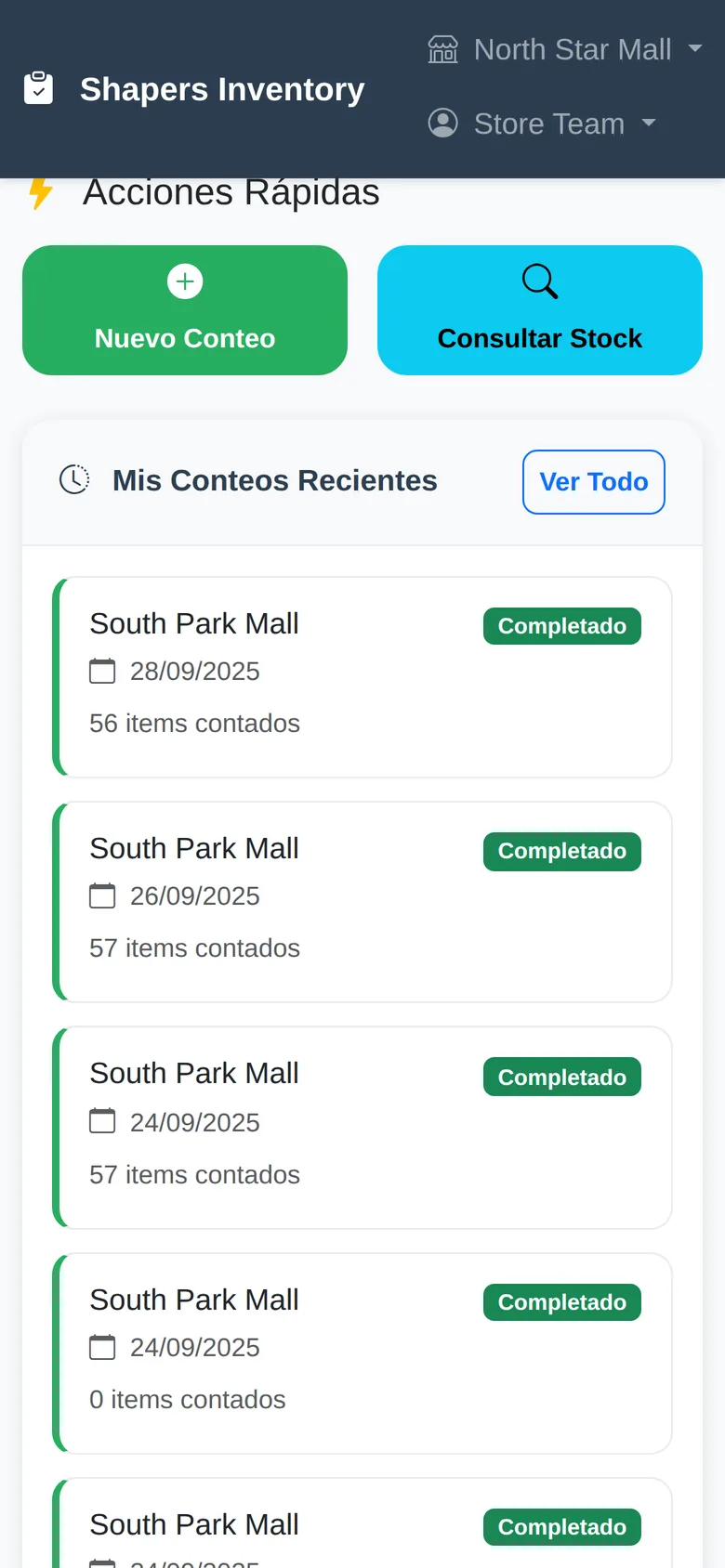
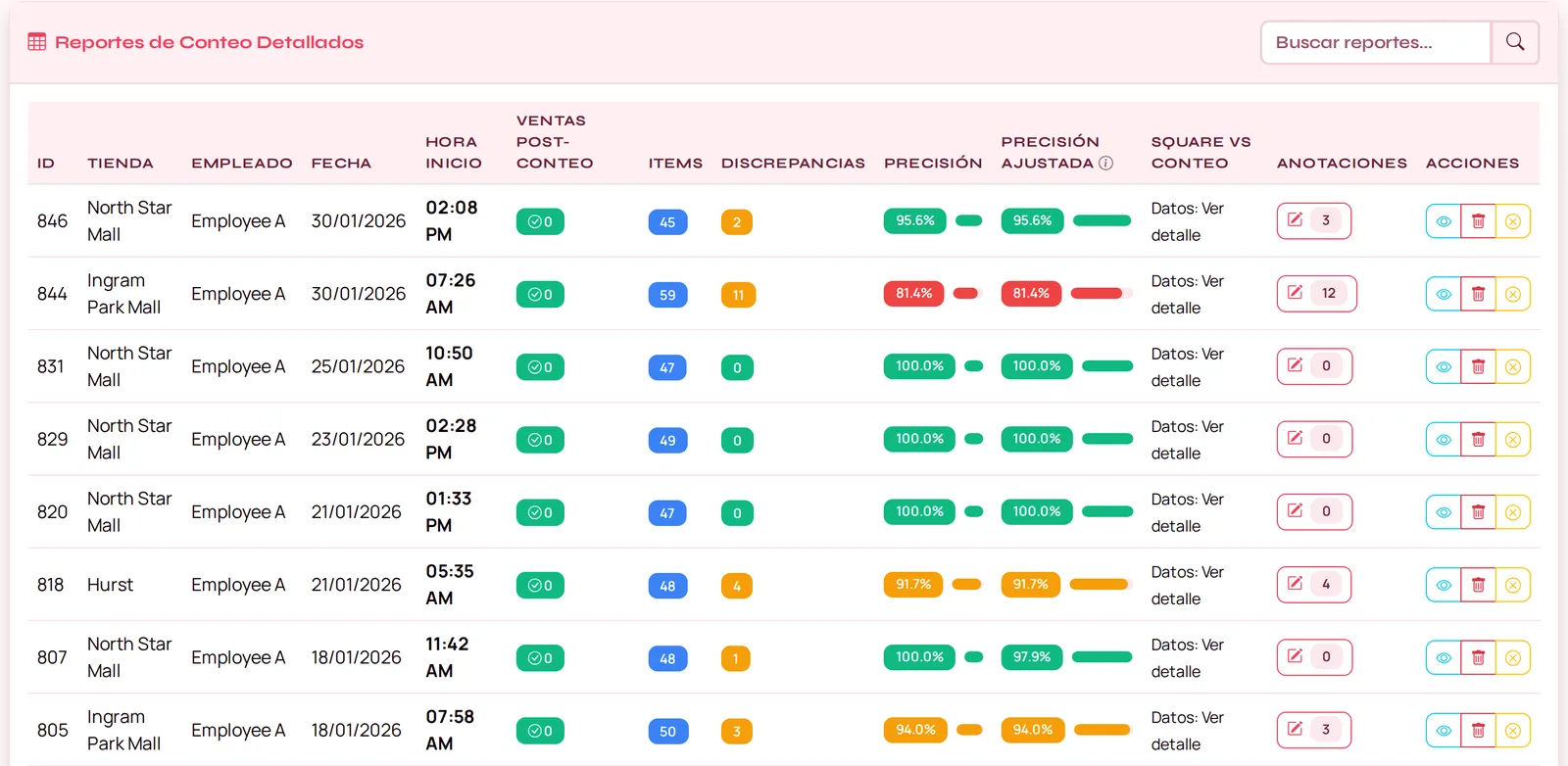
Screens from the live system. The interface is in Spanish for the store team; employee names are replaced.
Records were corrected daily, and real losses were found the next day
After each morning review, every difference was either corrected in the records or explained. Whatever could not be explained was treated as a possible real loss and investigated while it was still recent.
Once the daily review was in place, real losses became rare: a few incidents a year, each found the day after it happened, with the item, the store and the day already known. The records show when losses were found; they cannot prove on their own why fewer happened. What did change for certain is that a missing item no longer went unnoticed for weeks.
The same idea applied to vendor orders
The main vendor sent its monthly order in its own Excel format, and someone fixed the file by hand before loading it. I automated the fixes that are always the same. When an item code does not match the catalog, the system flags it for a person, because it may be a new product or a vendor typo, and telling those apart needs judgment.
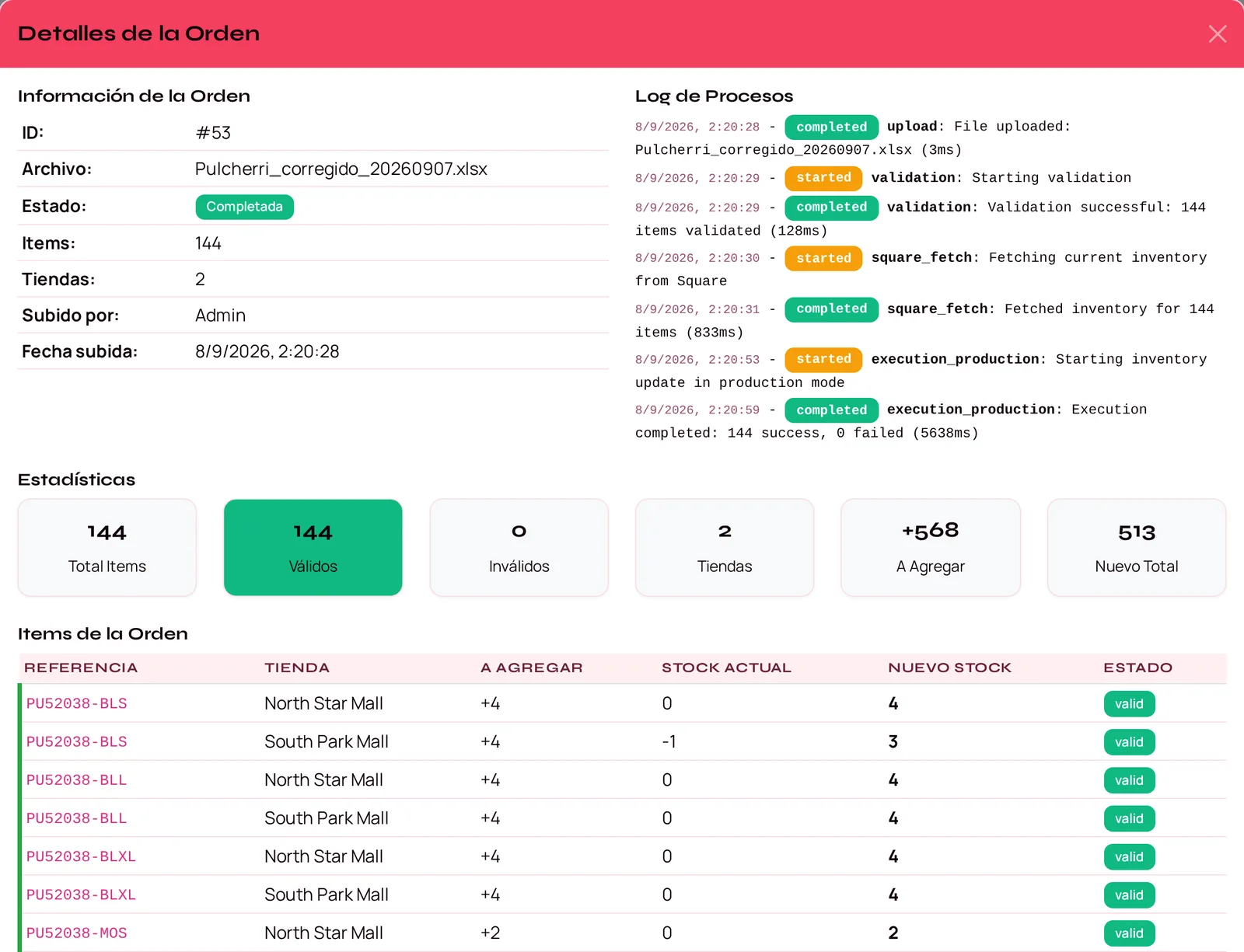
Built with
Square API · Python (FastAPI) · MySQL · installable phone apps (PWA) · AI-assisted development. First version: Google Forms and Excel.