Case study 02 · Telecom field services · New Mexico · In use today
Connecting field work to billing and payment
Job sheets were written by hand in the field, then read, interpreted and retyped in the office before anything could be billed. I replaced that with a simple phone form that captures the details that decide how each job is billed, and connected it to invoicing and payment tracking. The office now bills from the same record the technician creates.
System: JLP Field
- My role
- Process designer, builder and billing administrator
- Business
- JLP Communications LLC, buried cable installation
- Client
- TDS Telecom
- Coverage
- 10 cities in New Mexico
My part in it
JLP installs buried cable connections, called drops, for TDS Telecom. Each job is billed with the client's service codes, and the price depends on the type of job, the material and the length.
I have run telecom field crews for more than 12 years. For JLP I designed the process, built the system and run the billing, from invoices to payment follow-up.
Every job was interpreted twice before it was billed
Each job started as a handwritten sheet or a note in the owner's notebook, in his own shorthand. The office then had to read it, work out what it meant, translate it into the client's billing codes and type it into an invoice. Payments arrived as single deposits covering several invoices and were checked by hand.
The result was slow billing, typing errors and calls to the field when a sheet was incomplete. The detail most often missing was the material, which is exactly the detail that decides the price.
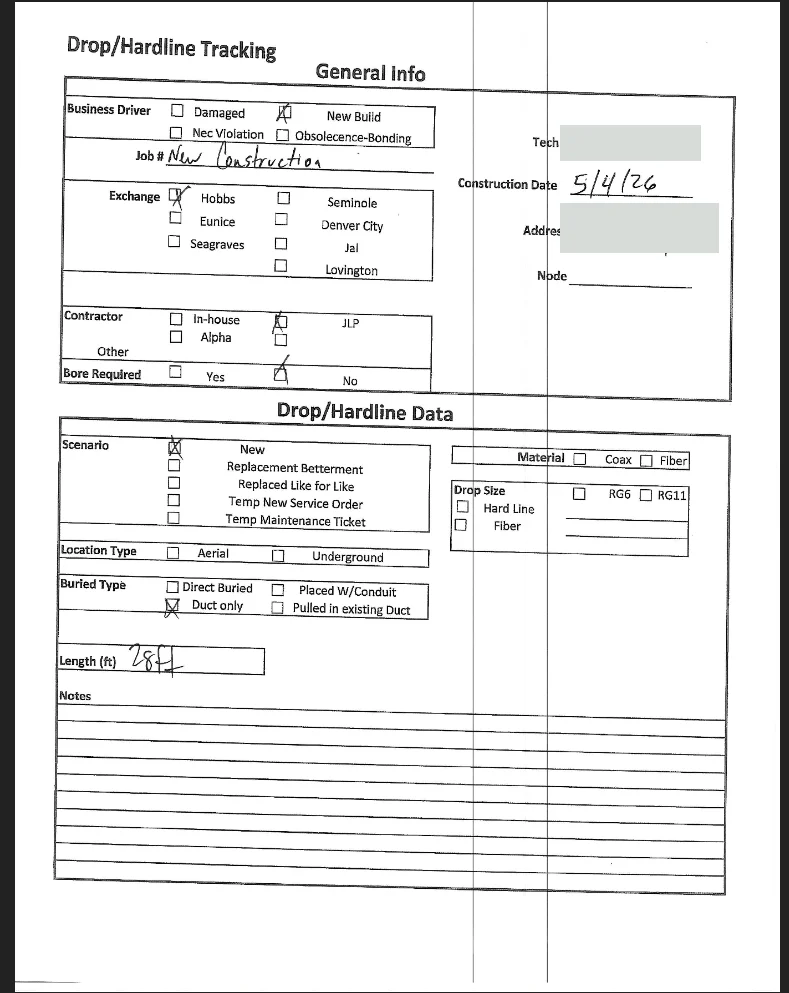
The problem was where the information was captured
Typing faster would not fix this. The real issue was that the details that decide the price were captured late, sometimes incomplete, and in a format that changed from person to person. Every later step re-interpreted the same job.
I made two decisions. First, capture each job once, at the source, by the person who did it. Second, do not build a tool to read the notebook, because its format could change any week. Instead, use the fields of the client's official job sheet and make the ones that decide the billing required.
Moving the price list into the system also showed that a few prices had been entered by eye. I corrected them against the client's official price sheet.
A simple form in the field, connected to billing
The technician opens a private link saved on the phone, with no password and no training. They choose the address, tap the job type and the material, and type the length. Before saving, the form shows how the job will be billed.
In the office, finished jobs appear in a list ready to bill. Selecting them builds the invoice with the client's codes and the city's tax rate. The system prepares the email for that city's approver, and when a deposit arrives, it finds which invoices the deposit pays.
- FIELDCapture onceThe technician records the job on the phone.
- OFFICESelect and billFinished jobs become an invoice with the client's codes.
- CLIENTSend for approvalThe email goes to the right approver for the city.
- BANKMatch the paymentEach deposit is linked to the invoices it pays.
Automated step · plain border = person
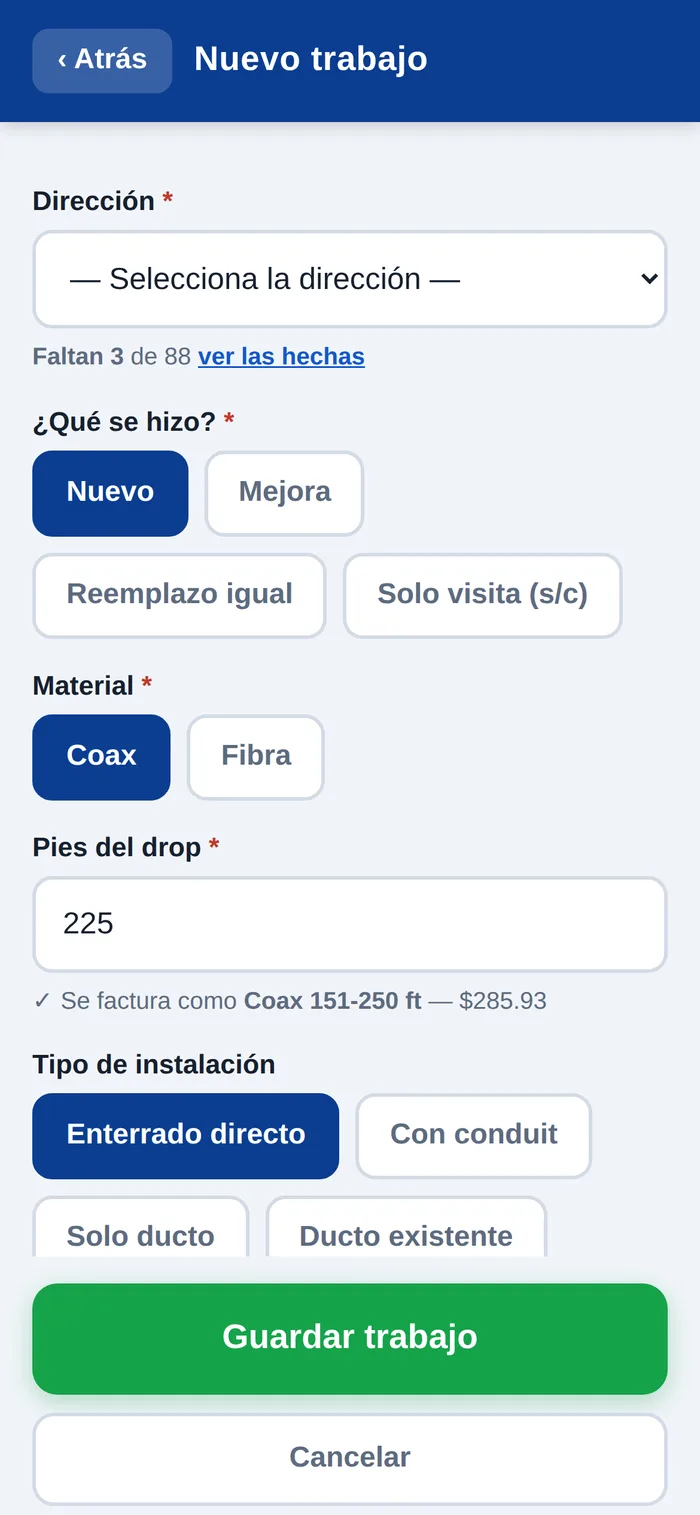
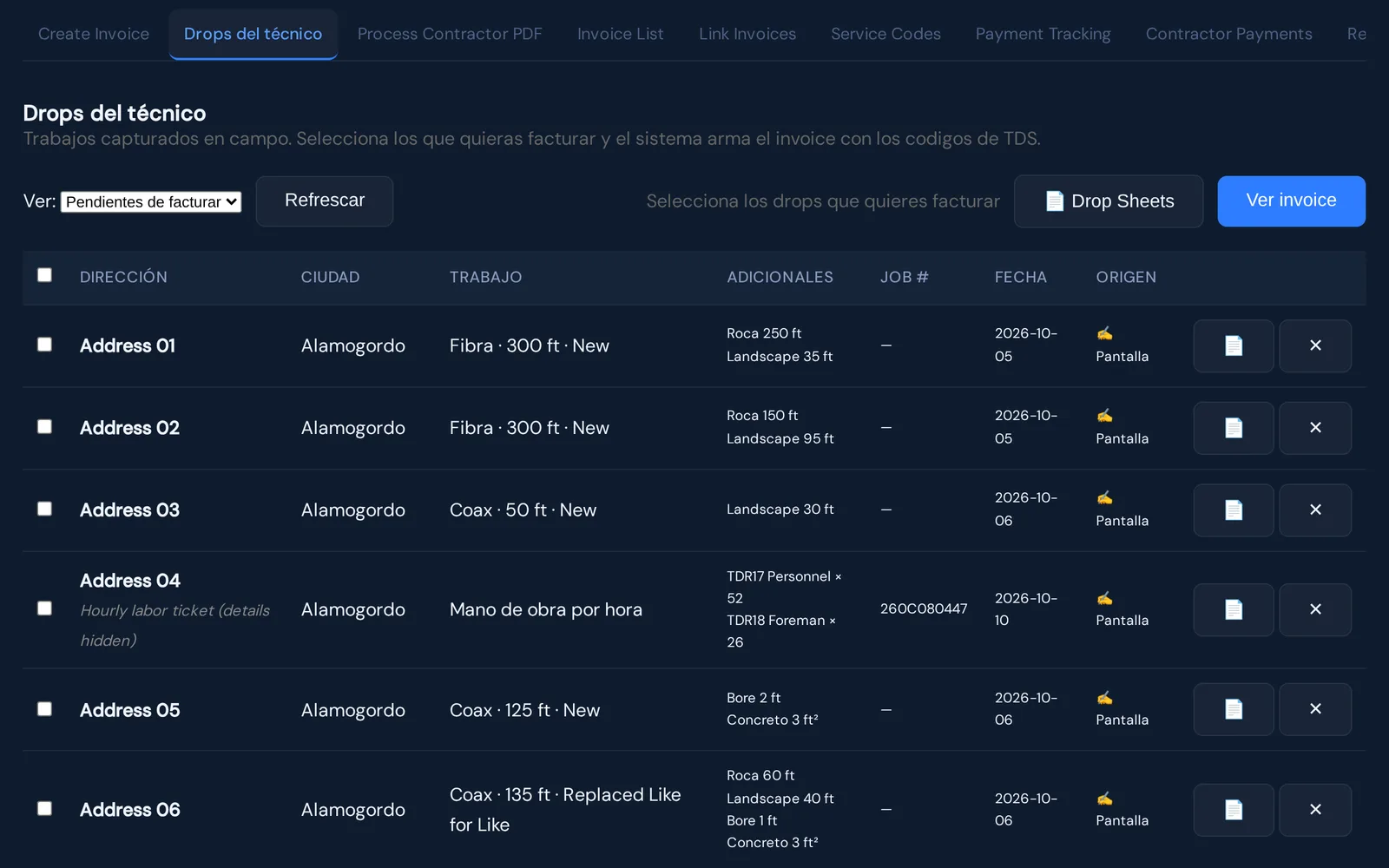
Screens from the live system. The field app is in Spanish for the technician; addresses and names are hidden.
One record from the field to the payment
Each job now arrives complete and in the same format, and the office bills from the technician's own record instead of retyping it. The details that decide the price are always there, because the form does not let anyone skip them.
At any time I can see what has been produced, what is billed, what is still pending and which deposit paid which invoice. Other technicians who saw the form asked for the same tool for their own companies.
Built with
Node.js (Express) · SQLite · installable phone app (PWA) · PDF invoices · maps · AI-assisted development.